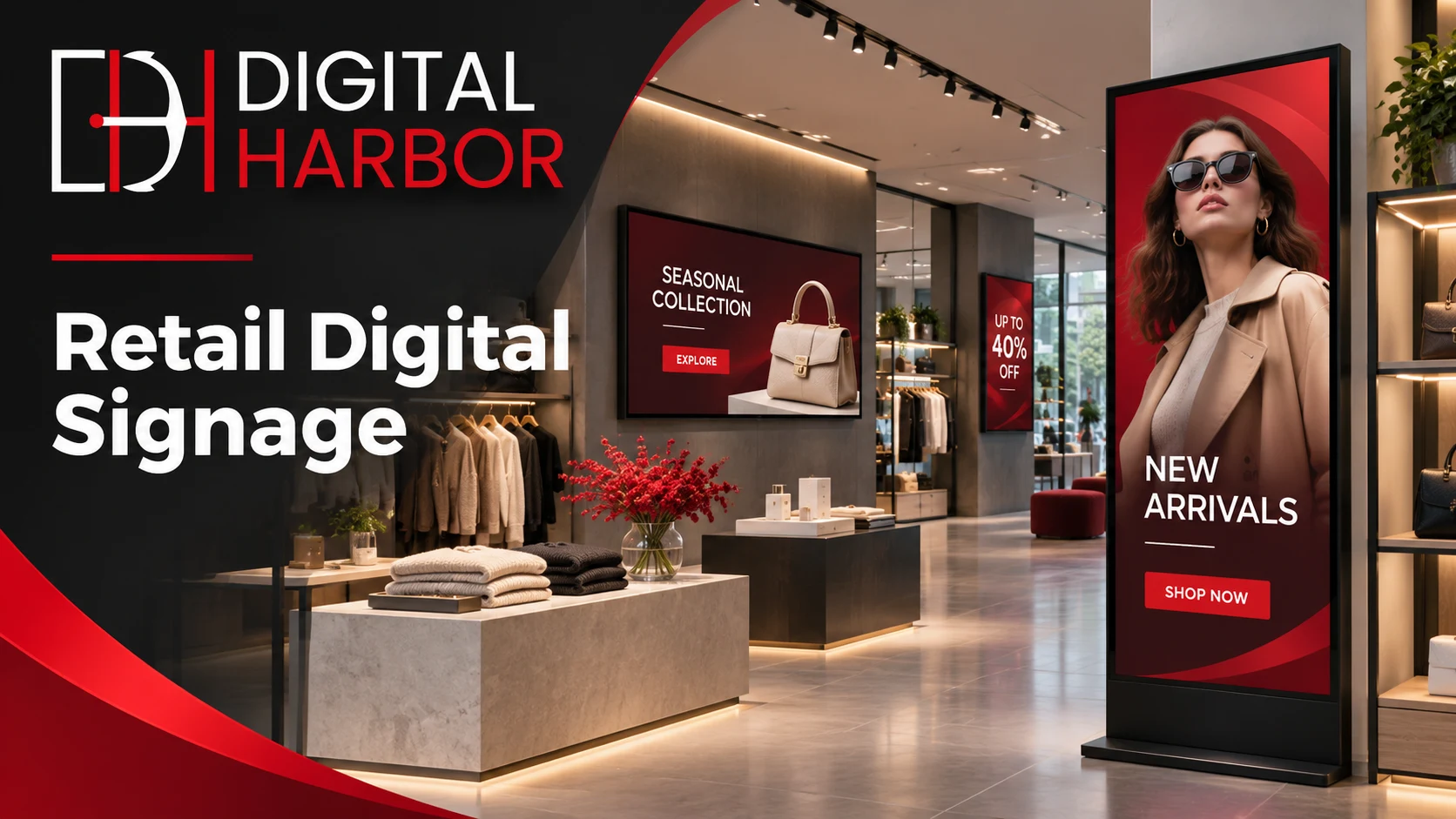
Digital Harbor is a Sydney-based digital signage company. It supplies window displays, interactive screens, video walls, retail LED screens and outdoor displays for Australian businesses. Each project includes consultation, installation, a cloud content-management platform and ongoing management. Retail is one of the main industries Digital Harbor works in, and more than 100 brands trust it with their signage.
This page covers where screens work best in a store, which Digital Harbor products suit retail, how to plan content and placement, and how a project runs from first conversation to a live display.
Why Retailers Are Switching to Digital Signage
Printed posters and window decals do one job until the next campaign, then they have to be redesigned, reprinted and refitted. For a store that changes promotions every week or every season, that cycle costs time and money. It also slows the store’s response when stock, prices or trading hours change.
Digital signage for retail removes most of that friction:
- Change campaigns in minutes. New promotions, prices and products can go live from a cloud platform without reprinting anything.
- Schedule ahead. Morning, weekend, sale-period and after-hours content can be set in advance and switch on its own.
- Catch the eye with movement. Video and motion draw attention in a way still images often can’t, especially through a shop window.
- Keep every store consistent. Retailers with several locations can manage content centrally, so every store shows the same campaign.
- Make better use of space. One screen can rotate several messages in the space a single poster would take.
For a deeper look at the commercial side, read Digital Harbor’s guide on how retail digital signage helps stores increase sales.
Where Digital Signage Works in a Retail Store
The best results come from placing screens where shoppers are already making decisions. Each zone in a store has a different job.
The shop window
The window is your first and often only chance to stop someone walking past. A bright screen facing the street can show new arrivals, a hero product or a sale message, and keep showing it after the store closes. Digital Harbor’s Digital Window Display is built for this job, making it the natural starting point for most digital signage for retail.
The entrance
Just inside the door, shoppers are working out where to go. A screen here can welcome them, point out current promotions or show where key departments are.
Feature walls and displays
A larger screen or video wall behind a feature table or on a back wall becomes a focal point. It draws shoppers further into the store and gives brand campaigns the scale they need.
Aisles and product areas
Smaller screens near specific products can explain features, show how a product is used or highlight a related item. That’s the kind of information a busy floor team may not have time to give every customer.
The counter and checkout
Customers waiting to pay have time to look around. Screens near the counter suit add-on offers, loyalty programs, gift cards and upcoming events.
Outside the store
For stores with footpath frontage, an event, or a spot in a shopping strip, an outdoor screen can reach people before they’re even near the window.
For more ideas on placement, read how to use digital signage for retail stores to drive in-store sales.
Digital Harbor Products for Retail
Digital Harbor’s range covers indoor, outdoor and LED displays. These are the products most often used in retail.
Digital Window Display
The Digital Window Display faces the street through your shopfront glass. It’s designed to make your window work harder, showing campaigns, products and offers to people walking past.
Interactive Digital Display
The Interactive Digital Display lets shoppers touch and explore. Retailers use interactive screens for product information, catalogues, ranges that aren’t on the shelf, and self-guided browsing.
Video Wall Display
For a large feature wall, the Video Wall Display joins several screens into one big display. It suits flagship stores, showrooms and large-format retail. You can read more about the options on Digital Harbor’s LCD video wall and LED video wall pages.
Retail LED screens
LED displays are bright, can be built to fit the space, and work well in sunny windows, high ceilings and shopfronts. Digital Harbor’s retail LED screen options include the 1920 × 640 mm LED Display, the 960 × 640 mm LED Display and the Custom Size LED Display. A wide, shallow format suits spaces above a counter, along a shopfront or across a feature wall.
Portable Outdoor Display
The Portable Outdoor Display is a movable outdoor screen for footpaths, entrances, events and pop-ups. You can position it where foot traffic is heaviest and move it when you need to.
Digital Menu Display
Retail stores with a cafe, juice bar or food counter can use the Digital Menu Display to show menus and prices that update from the same platform as the rest of the store’s screens.
Retail LED Screens vs LCD Displays
Both types of screen have a place in retail. The best choice depends on where the screen goes and what it needs to show.
| Factor | Retail LED screens | LCD displays |
|---|---|---|
| Brightness | High, suits sunny windows and shopfronts | Suits controlled indoor light |
| Size and shape | Can be built to fit the space | Set by standard screen sizes |
| Viewing distance | Medium to long | Short to medium, good for close reading |
| Typical retail use | Shopfronts, feature walls, above counters, outdoor | Product areas, counters, interactive points |
Many stores use both: retail LED screens where brightness and scale matter, and LCD screens where shoppers read details up close. Digital Harbor can recommend the right mix during consultation.
Content That Works on Retail Screens
A screen is only as good as what’s on it. Retail content works best when it’s simple, quick to read and tied to what’s actually in store.
- One message per slide. A single product, offer or idea is easier to take in than a crowded layout.
- Short loops. Shoppers pass by in seconds, so a loop of short slides beats one long video.
- Large text, strong contrast. Make the key words readable from where shoppers stand, especially through a window.
- Real products. Show the items you actually stock, so the screen leads to a sale on the shop floor.
- Timed content. Promote lunchtime offers at lunchtime, weekend deals on weekends and gift ideas before the holidays.
- Fresh rotation. Updating content regularly gives repeat shoppers a reason to look again.
Managing Signage Across One Store or Many
Every Digital Harbor display runs through its cloud content-management platform. Your team can upload images and videos, change prices, build playlists and schedule content without being on site.
For a single store, that means a new promotion can go live the moment it’s ready. For retailers with several locations, it means one person can manage every screen in every store, with the option to run different content in different places. It keeps brand campaigns consistent and stops outdated posters lingering in a forgotten corner.
Planning Your Retail Digital Signage
A few early decisions decide whether the screens look good and keep working.
Brightness and glare
Window displays face strong daylight and reflections off the glass. Screens facing the street need more brightness than screens deeper inside the store. LED is often the stronger choice for sunny shopfronts.
Size and viewing distance
Think about where shoppers will stand. A screen read from across the store needs to be larger, with bigger text, than one placed next to a product.
Mounting, power and data
Each screen needs a secure mount and access to power and an internet connection for content updates. Planning cable routes early keeps the fit-out tidy.
Content resources
Decide who will create and update content, and how often. The cloud platform makes updates easy, but a plan for fresh content keeps the screens working for you.
Outdoor approvals
Screens outside the store or facing a road may need council approval. In NSW, planning controls for advertising and signage sit in Chapter 3 of the State Environmental Planning Policy (Industry and Employment) 2021. Check what applies to your site before installing outdoor signage.
How Digital Harbor Delivers Retail Digital Signage
Digital Harbor runs each project end to end, so screens, software and installation come from one team.
- Consultation. Digital Harbor learns about your store, your customers, how often your promotions change and what you want the screens to achieve.
- Display planning. The team recommends which products to use and where, from window displays to retail LED screens and video walls.
- Installation. The screens are installed, connected and set up so they’re ready to run your content.
- Cloud content management. Your team gets access to the cloud content-management platform to upload, schedule and update content remotely.
- Ongoing management. Digital Harbor offers ongoing management, so support continues after the screens go live.
See displays Digital Harbor has delivered on the Recent Work page, and an overview of its services on the Solutions page.
Retail Formats That Use Digital Signage
Fashion and apparel
Fashion stores change ranges often. Window screens and feature walls can show new collections and lookbooks the moment stock arrives.
Homewares and furniture showrooms
Showrooms can use video walls and interactive screens to show room settings, product ranges and options that aren’t on the floor.
Pharmacy
Pharmacies, one of the industries Digital Harbor works with, can use screens to highlight seasonal products, in-store services and offers, and update them centrally.
Hair salons and beauty retail
Salons that sell products can show ranges, treatments and promotions to clients while they wait.
Specialty and electronics stores
Interactive displays and product-area screens help explain features and compare products without a staff member at every shelf.
Cafes and food counters inside retail
Stores with a cafe or food counter can run menus through the Digital Menu Display alongside the rest of the store’s screens. See also Digital Harbor’s restaurant signage.
Buy or Hire Retail Screens?
For a permanent fit-out, buying makes sense. The screens become part of the store, and you control them every day.
For pop-up shops, launches, markets and short campaigns, hiring may suit better. Digital Harbor offers LED screen hire and video wall hire in Sydney for short-term needs.
The Full Digital Harbor Range
Digital Harbor offers indoor, outdoor and LED displays, all managed through the same cloud content-management platform:
- Indoor: Digital Window Display, Digital Menu Display, Interactive Digital Display, Video Wall Display
- Outdoor: Portable Outdoor Display, plus outdoor LED screens
- LED: 1920 × 640 mm LED Display, 960 × 640 mm LED Display, Custom Size LED Display
To see how these products work together, visit digital signage solutions, or go to the Digital Harbor home page for an overview of retail digital signage and its other services. Sydney retailers can also read about digital signs in Sydney. Digital Harbor also has pages for Melbourne, Brisbane, Perth and Adelaide.
Why Retailers Work With Digital Harbor
- One team for the whole project: consultation, display supply, installation, cloud content management and ongoing management
- Indoor, outdoor and LED displays, so the window, the floor and the counter can be planned together
- Retail is one of Digital Harbor’s core industries, alongside hospitality, hair salons, pharmacy, fitness and education
- Trusted by 100+ brands, with a Sydney-based team working with Australian businesses
Learn more on the About Us page, or read practical guides on the Digital Harbor blog.
Bring Your Store to Life With Digital Harbor
Tell the team about your store, your customers and the campaigns you run. Digital Harbor will recommend the right screens and placements for your space.
Call: +61 434 264 234
Email: solutions@digitalharbor.com.au