That's a fixable problem. And this guide fixes it.
Whether you're outfitting a retail store, upgrading a corporate reception, or setting up a multi-screen environment across several locations, what follows will give you the knowledge to make a confident, well-informed decision without wading through a sea of technical jargon and sales speak.
What Are Commercial Display Screens and Why Do They Matter?
A commercial display screen is a professional-grade display built specifically for business environments. That distinction matters more than most buyers realise when they're first looking at options.
Consumer televisions look appealing on a spec sheet and cost less upfront. But they're designed for a few hours of daily home use in comfortable, climate-controlled living rooms. Put one in a corporate lobby running 14 hours a day, and the lifespan drops dramatically. The brightness fades. The internal components weren't built for that kind of sustained load.
Commercial displays, by contrast, are engineered for exactly that environment. Extended operating hours, higher ambient brightness, better thermal management, and warranties that reflect professional use cases rather than household ones.
In my experience, the gap between consumer and commercial grade becomes obvious within the first twelve months of operation. The upfront saving on a consumer screen disappears quickly when you're looking at a faded, unreliable panel that needs replacing far sooner than anticipated.
How Commercial Display Screens Differ from Consumer Screens
This is worth understanding in detail because it affects every purchasing decision downstream.
Build Quality and Operating Hours
Commercial screens are rated for continuous operation, typically 16 to 24 hours per day, seven days a week. The internal components, power supplies, cooling systems, and LED backlighting are all specified to handle this load without degrading prematurely.
Consumer screens are usually rated for around 4 to 8 hours of daily use. Running them beyond that consistently shortens their functional life significantly.
Brightness and Visibility
Commercial displays are designed to maintain visibility in environments with strong ambient light, overhead fluorescent or LED lighting, or in some cases direct sunlight through windows. Brightness ratings on commercial panels typically start at 350 nits for standard indoor use and can exceed 2,500 nits for window-facing or semi-outdoor applications.
A consumer television at 250 to 300 nits in a bright showroom or reception area with large windows is essentially invisible from any meaningful distance.
Portrait and Landscape Flexibility
Most commercial screens are designed to operate in both landscape and portrait orientations without issue. Consumer screens are not. Running a consumer television in portrait mode causes the internal cooling system to work against gravity, leading to component overheating and premature failure.
Remote Management and Integration
Commercial display screens typically include built-in features for remote management, network connectivity, and integration with content management systems. This is not a nice-to-have. For any business managing more than two or three screens, remote management capability is essential for efficient operation.
The Main Types of Commercial Display Screens
Large Format Displays
Large format displays (LFDs) are the workhorses of commercial signage. Available in sizes from around 40 inches up to 98 inches and beyond, they're used in everything from corporate lobbies and hotel reception areas to retail flagship stores and airport information displays.
They're flat panel displays, typically LCD with LED backlighting or direct LED, that offer sharp imagery, wide viewing angles, and reliable long-term performance. Most modern large format commercial displays include a built-in media player or System on Chip (SoC), allowing basic content playback without an external device.
Interactive Touchscreen Displays
Touchscreen commercial displays have moved well beyond novelty status. They're now central to retail self-service, corporate collaboration, wayfinding in large venues, and interactive educational environments.
The technology has matured significantly. Modern commercial touchscreens use infrared or PCAP (projected capacitive) touch technology that supports multi-touch input reliably across large screen surfaces. The difference between a quality commercial touchscreen and a budget alternative is immediately apparent in responsiveness and durability under heavy daily use.
When I tried a side-by-side comparison between an entry-level and mid-tier commercial touchscreen for a client in the retail sector, the responsiveness gap was obvious within the first few minutes. The entry-level panel had noticeable lag on rapid multi-touch inputs, which quickly frustrates users in a self-service environment.
Video Walls
A video wall combines multiple commercial display panels into a single large, unified display surface. Ultra-narrow bezel LCD panels or seamless LED tiles are the two main approaches.
Ultra-narrow bezel LCD video walls work well for control rooms, broadcast environments, and corporate command centres where detailed content needs to be viewed across a large surface. The joins between panels are minimal but still visible up close.
Direct-view LED video walls eliminate the bezel entirely, producing a seamless surface of any size. They're the premium choice for flagship retail, entertainment venues, and any environment where visual impact is paramount.
Outdoor Commercial Display Screens
Outdoor commercial displays are weatherproofed, high-brightness units designed to operate reliably in rain, heat, cold, and direct sunlight. IP65 rating or higher is standard for permanent outdoor installation, ensuring full protection against dust ingress and water jets from any direction.
Brightness requirements for outdoor installations typically start at 2,500 nits for shaded locations and exceed 5,000 nits for direct sun environments. The engineering behind a quality outdoor commercial screen is substantial, and the difference in reliability between a properly specified outdoor unit and an improvised solution is enormous.
Digital Menu Boards
Digital menu boards are a specific category of commercial display screen that has become standard across hospitality, quick service restaurants, cafés, and food courts. They combine high brightness for well-lit commercial kitchen environments, portrait or landscape flexibility, and seamless integration with content management platforms that allow menu updates, pricing changes, and promotional scheduling without needing to reprint anything.
The operational flexibility of digital menu boards, particularly the ability to update content instantly across multiple locations from a central system, is the feature hospitality operators consistently cite as transformative once they've made the switch from printed menus.
Choosing the Right Commercial Display Screen: A Practical Framework
The range of available options is wide, and the right choice genuinely depends on your specific situation. Working through these questions systematically narrows the field considerably.
Where will the screen be installed? Indoor, outdoor, window-facing, or semi-outdoor? This determines your minimum brightness specification, IP rating requirements, and whether you need anti-glare or anti-reflective glass treatment.
What viewing distance should you design for? The distance between the screen and your primary audience determines the appropriate resolution and, in the case of LED displays, the pixel pitch. Designing for the closest viewer in the space, not the average, protects you from complaints about image quality.
How many hours per day will it run? 24/7 operation requires commercial-grade panels rated for continuous use. Business-hours-only operation opens up a wider range of panel grades, though commercial specification is still recommended for longevity.
Will it be managed remotely or on-site? If you have multiple screens or locations, cloud-based remote management is not optional. If you have a single screen managed on-site, a simpler setup may be adequate.
What content will it display? Static images, animated graphics, live video feeds, real-time data dashboards, or interactive content each have different technical requirements. Knowing your content type upfront shapes the hardware and software specification significantly.
Who will manage and update the content? A powerful CMS is only as useful as the person operating it. Matching the complexity of the platform to the actual capability of your team is something that gets overlooked far too often.
Key Specifications to Understand Before You Buy
Buying a commercial display screen without understanding these specifications is like signing a commercial lease without reading the terms. Here's what each one actually means for your purchase.
Brightness (nits): The measure of screen luminance. Higher nits means better visibility in brighter environments. Match your specification to your worst-case ambient light condition, not your average.
Contrast ratio: The difference between the brightest white and darkest black the screen can produce. Higher contrast ratios produce richer, more vivid imagery. In practice, look for native contrast ratios rather than dynamic contrast figures, which are marketing measurements that don't reflect real-world performance.
Resolution: The total number of pixels across the display surface. Full HD (1920 x 1080) remains adequate for most commercial applications. 4K (3840 x 2160) is worth specifying for very large displays, close viewing distances, or content that demands fine detail.
Viewing angle: Expressed as horizontal and vertical degrees from the centre of the screen. Wide viewing angles ensure consistent image quality for viewers approaching from the sides. Look for panels with 178-degree horizontal viewing angles for open public environments.
MTBF (Mean Time Between Failures): A reliability metric expressed in hours. For commercial applications, look for panels rated at 50,000 hours or more. Premium commercial panels often carry MTBF ratings of 100,000 hours.
Connectivity: HDMI, DisplayPort, USB, LAN, and RS-232 are standard on most commercial panels. Confirm that the connectivity options match your content source and management system requirements before purchasing.
Where Commercial Display Screens Deliver the Most Impact
Retail Environments
Retail is where commercial display screens consistently deliver measurable ROI. A study published by the Outdoor Advertising Association found that digital signage in retail environments increases purchase intent by up to 29% compared to environments without dynamic displays.
The combination of promotional content, product information, and atmospheric visuals creates a retail environment that actively works for the business. I've noticed that retailers who invest in well-positioned, well-managed display screens report that the impact on customer behaviour is visible relatively quickly, often within the first month of operation.
Corporate and Professional Environments
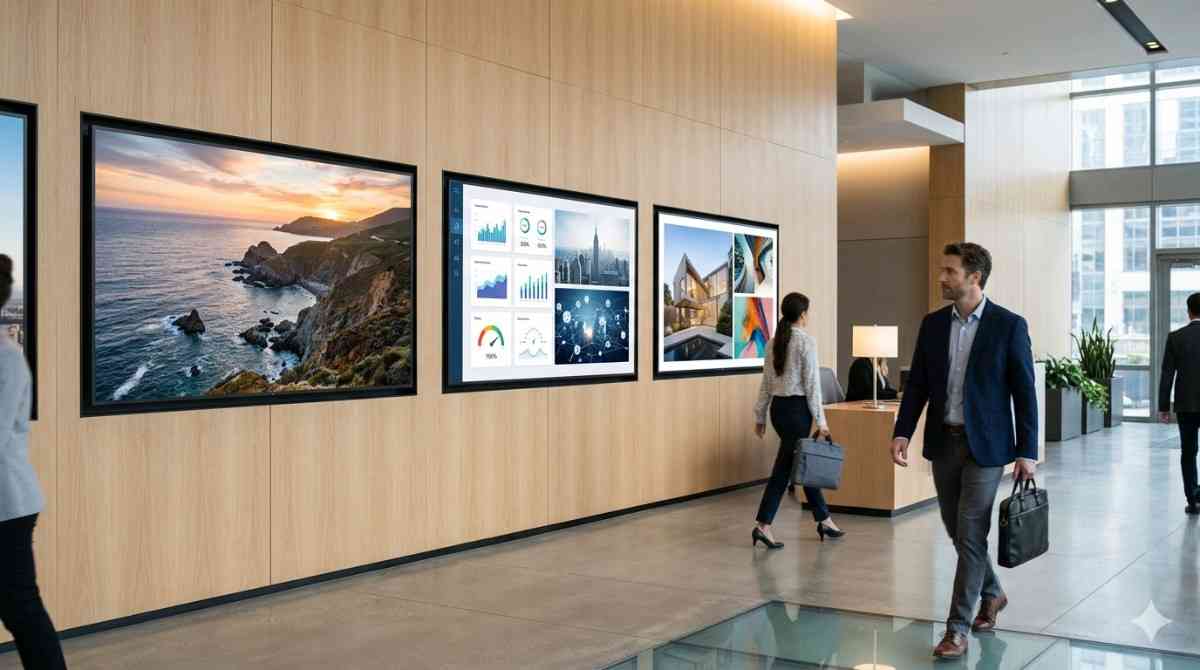
Reception areas, boardrooms, collaboration spaces, and staff breakout areas all benefit from well-specified commercial display screens. The applications range from brand and culture displays in reception areas, to real-time KPI dashboards in operational spaces, to wireless presentation systems in meeting rooms.
The team at Digital Harbor frequently works with corporate clients who initially underestimate how much their physical environment communicates to clients and staff. A well-designed digital display environment is one of the most efficient ways to upgrade that communication.
Hospitality
Hotels, restaurants, bars, and event venues use commercial displays for menu boards, promotional content, event listings, wayfinding, and atmosphere. The ability to change content instantly, schedule promotions around time of day, and manage multiple venue screens from a single platform is operationally significant for hospitality businesses managing complex, fast-changing content needs.
Healthcare and Education
Healthcare facilities use commercial displays for patient wayfinding, queue management, safety communications, and information delivery. Educational institutions use them for campus information, lecture theatre presentations, interactive learning, and administrative communications.
Both sectors share a common requirement: displays that are reliable, easy to manage, and capable of delivering clear, visible information in environments where communication clarity genuinely matters.
Transport and Public Spaces
Airports, train stations, shopping centre common areas, and public plazas rely on commercial display screens for a combination of functional information and commercial content. The durability, reliability, and remote management capabilities of commercial-grade displays make them the default specification for public infrastructure projects.
Installation Planning: Getting It Right Before Day One
Digital Harbor emphasises this with every client engagement: the decisions made during installation planning have a longer-lasting impact on performance than almost any hardware specification choice.
Here's a practical checklist to work through before installation begins:
- Power supply: Confirm available power capacity and whether a dedicated circuit is needed for your display configuration
- Mounting structure: Verify that walls, ceilings, or frames can support the weight of the display, including any articulating or motorised mounts
- Cable routing: Plan how power and data cables will be concealed or managed neatly within the space
- Ventilation: Ensure the installation location allows adequate airflow around the display, particularly for recessed or enclosed mounting configurations
- Viewing geometry: Position the screen at the right height and angle for your primary viewing audience, not just where mounting is most convenient
- Network access: Confirm reliable network connectivity at the installation point for remote management and content delivery
- Compliance: Check local council and building management requirements for signage approvals, particularly for window-facing or publicly visible displays
Maintaining Commercial Display Screens for Long-Term Performance
Commercial displays are low-maintenance by nature, but they are not zero-maintenance. Consistent, proactive care is what separates displays that perform reliably for ten-plus years from those that cause ongoing problems.
Monthly: Visual inspection for dead pixels or colour inconsistencies, cleaning of the screen surface with appropriate materials, and confirmation that ventilation is unobstructed.
Quarterly: Firmware and software updates for the display and any connected media players, inspection of cable connections for wear or loosening, and review of content scheduling to ensure accuracy.
Annually: Professional inspection of internal components, brightness calibration check, structural inspection of mounts and fixings, and thermal assessment for any enclosures or tightly mounted configurations.
Getting the specification right for commercial display screens is genuinely worth the time invested upfront. The displays that deliver real, sustained value are the ones chosen with a clear understanding of the environment, the use case, and the operational requirements, not the ones that looked impressive in a brochure.