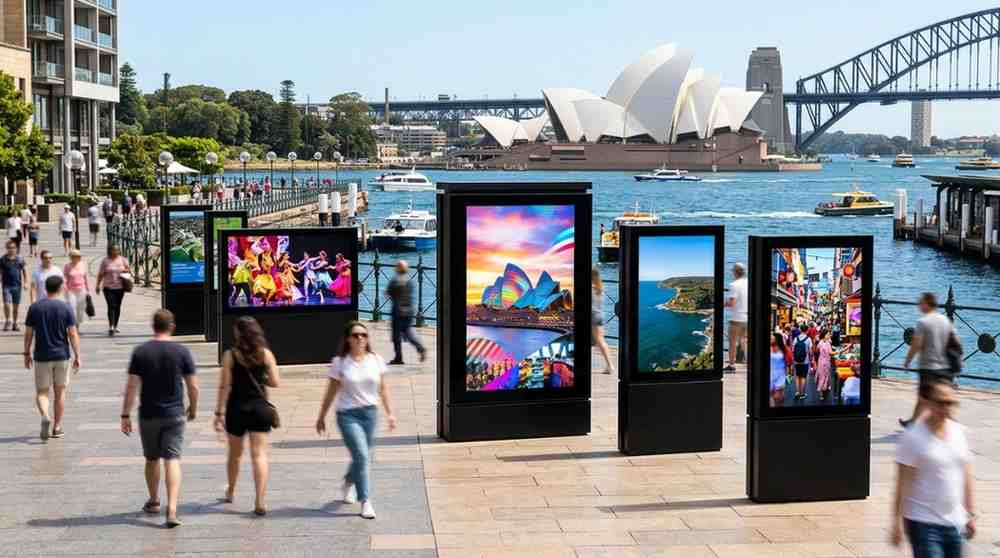
When you implement bright, high-definition electronic screens, you are doing much more than just decorating your walls. You are establishing a direct, real-time communication channel with every person who crosses your threshold.
Whether you manage a bustling corporate office in the heart of Sydney, a lively boutique café, or a high-traffic retail storefront, upgrading your presentation is the quickest way to turn casual onlookers into deeply engaged patrons. Let us break down how this technology works and how you can leverage it to grow your business.
The Costly Pitfalls of the Print Era
Traditional static signage is a quiet drain on your time, energy, and resources. Every single time your brand launches a new product line, updates a policy, or adjusts seasonal promotions, you are forced to run a costly gauntlet.
You must sketch a new design, send files over to a professional printing house, wait days for production, pay for delivery, and then task your busy staff with hanging up the physical materials.
If a team member spots a glaring spelling error or an outdated product feature after the items arrive, the entire expensive process starts right back at square one.
When I first began consulting with growing brands at Digital Harbor, I watched a regional retail manager throw away hundreds of pristine, newly printed cardboard banners simply because a manufacturer changed a product specification overnight. When we helped them transition to a dynamic network of digital signage and displays, that wasteful frustration vanished instantly. They gained the power to adjust their messaging across multiple locations in under a minute with just a few clicks on a dashboard.
The Psychology of the Moving Image
Human eyes are naturally hardwired to track movement and light. A static piece of paper on a bulletin board quickly blends into the background, becoming completely invisible to someone who walks past it every day.
Capturing Attention in a Distracted World
A high-brightness commercial screen displaying crisp transitions, subtle animations, and rich color combinations demands attention without being obtrusive. It creates an immersive focal point in your space.
According to a comprehensive tracking study published by the Arbitron Out-of-Home Digital Signage Board, dynamic public screens command up to 400% more views than traditional static posters. By substituting flat, lifeless imagery with high-definition motion, you ensure that your most critical announcements, promotions, and brand stories are actually seen and retained by your target audience.
Maximizing the Value of Perceived Wait Times
No one enjoys waiting in a long queue or sitting idly in a quiet corporate reception area. When you position smart screens strategically near checkout counters or waiting lounges, you shift the psychological experience of your guests.
Providing engaging content, such as bite-sized industry trivia, weather updates, or behind-the-scenes glimpses into your brand heritage, keeps brains occupied. This entertainment drastically reduces perceived wait times, turning a potentially frustrating delay into a pleasant and educational brand touchpoint.
Core Features of a Reliable Commercial Screen Setup
If you are thinking about heading down to a local electronics box store to buy a handful of cheap household televisions for your business walls, I strongly urge you to reconsider. Residential screens are simply not engineered to withstand the demanding conditions of a commercial environment. To build a system that lasts for years, you need to focus on specific commercial-grade architecture:
-
Extended Duty Cycle Panels: Commercial-grade displays are built with robust internal cooling networks designed to run continuously for 16 to 24 hours a day, seven days a week, without suffering from ghosting or permanent screen burn-in.
-
Centralized Cloud Content Management: A robust software platform lets you log into a secure dashboard from any location to change graphics, tweak video loops, and monitor screen health remotely.
-
Automated Smart Scheduling: This allows you to map out your communication strategy weeks in advance, ensuring your morning announcements automatically transition to afternoon promotions without human intervention.
-
High Nit Brightness Ratings: Commercial spaces are filled with bright overhead fluorescent tubes and blinding sunlight from large windows. High-nit displays slice straight through that ambient glare so your text stays perfectly readable from a distance.
Designing Screen Content That Drives Real Action
In my experience, when business owners first get access to an array of digital signage and displays, they fall into the common trap of overcomplicating their visual layouts. They fill the screen with five different flashing text zones, multiple tickers moving in different directions, and bright neon color palettes.
Please avoid this chaotic approach. Cluttered screens overwhelm your visitors, creating mental fatigue rather than inspiration.
The Art of Generous White Space
Treat your visual screen real estate like a premium gallery wall. Give your core message plenty of breathing room by leaving at least twenty to thirty percent of the display completely clear of text or iconography.
Keep your animations smooth, elegant, and intentional. A slow panning shot across a new product line or a gentle fade between informational slides looks incredibly professional, whereas rapid, frantic flashing text will just cause your customers to look away.
Structuring a Clear Visual Hierarchy
When you design your slides, remember that your audience is usually on the move. Use large, bold, clean sans-serif typography for your main headlines so they can be easily digested from across a crowded room.
Place your secondary descriptive text in a smaller font directly below, and always finish your visual loop with a clear, direct call to action, telling your viewer exactly what step to take next.
Scaling Content Strategy Across Multiple Locations
As your business grows from a single location into a regional network, maintaining consistent brand messaging becomes increasingly difficult. If you rely on staff to manually update local boards, inconsistencies are bound to slip through the cracks.
This is where a unified digital signage and displays network proves its true operational value.
I've noticed that the most successful organizations utilize a tiered content strategy. Your central corporate marketing team can lock in the core brand assets, logos, and national promotions from a single master dashboard. At the exact same time, you can grant restricted local access to on-site branch managers, allowing them to drop in community-specific announcements or celebrate local staff milestones on their own local screens. This creates a flawless blend of polished corporate branding and authentic local charm.
Transforming Internal Corporate Communications
We often think of smart display networks as tools meant solely for paying customers, but they are equally effective when turned inward toward your own staff. Using electronic notice boards in break rooms, distribution hubs, and main office corridors completely transforms your internal culture.
Instead of relying on long corporate emails that sit unread in crowded inboxes, you can use vibrant screens to display real-time safety metrics, celebrate team anniversaries, highlight quarterly goals, and keep your frontline workforce aligned with company values. At Digital Harbor, we consistently see that businesses prioritizing visual internal communications enjoy far higher levels of employee alignment and daily operational morale.
Navigating Your Next Steps
Upgrading your physical environment with smart electronic screens might feel like an intimidating technological leap at first glance. However, the immense freedom of being able to fix a layout error in seconds, alter your messaging based on real-time consumer behavior, and eliminate paper printing waste makes it an incredibly rewarding evolution for any forward-thinking brand.
Begin by auditing the main pathways through your physical location. Identify the natural spots where your visitors linger, gather your core brand assets, and map out a simple visual story that elevates their daily experience. Investing in your physical presentation builds long-term authority and sets the stage for meaningful business growth.