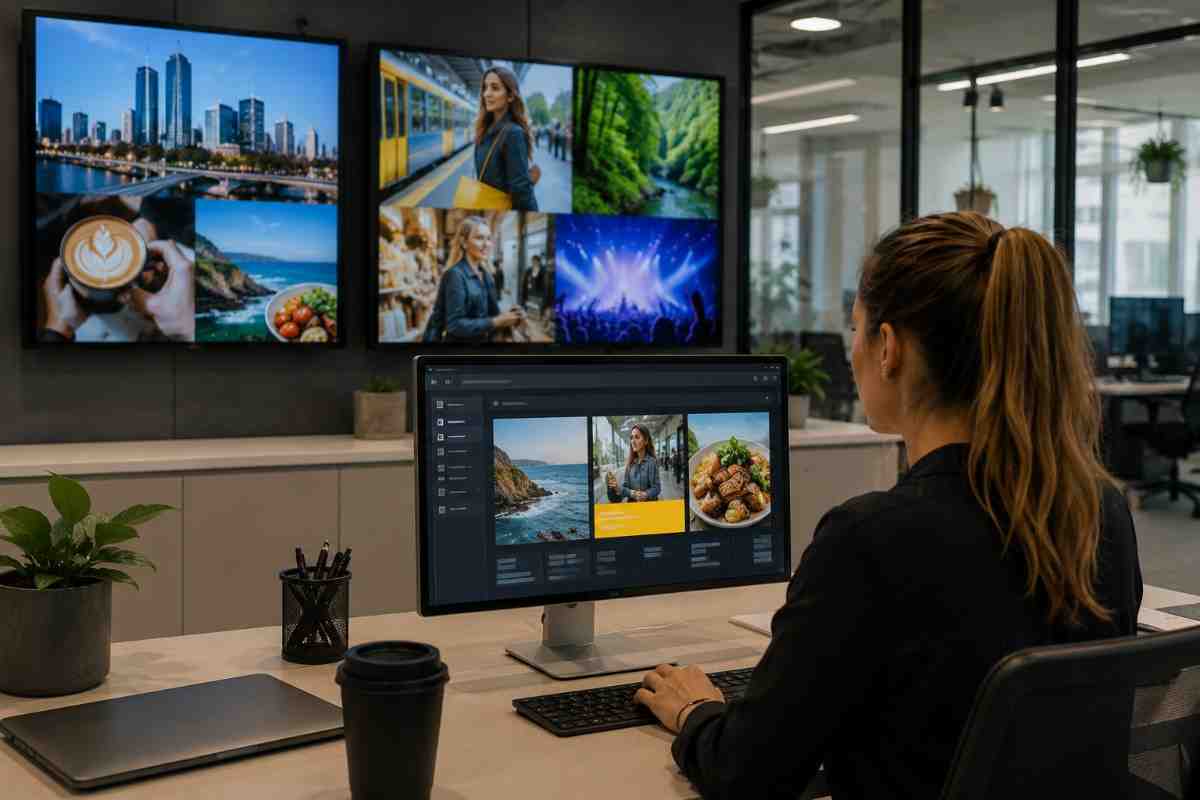
Let's break it all down, honestly and practically.
What Is Digital Sign Software, Really?
Strip away the jargon and digital sign software is simply the brain behind your screens. It's the platform that lets you control what appears on your displays, whether that's one screen at the front of your café or fifty screens spread across multiple Melbourne locations.
You upload your content, schedule it, and the software pushes it to your screens automatically. No printing. No laminating. No sending someone with a USB drive to update a menu board manually.
In my experience, most business owners genuinely underestimate how much time they lose to manual signage updates. One café owner I spoke with was spending nearly two hours every week just swapping out printed menus and promotional boards. With the right software in place, that came down to about ten minutes total. That's the real, practical value here.
Why Melbourne Businesses Are Moving to Digital Sign Software
Melbourne is one of Australia's most competitive retail and hospitality markets. Foot traffic on Bourke Street, the laneways, the Queen Vic Market precinct, the competition for attention is intense and relentless.
Static signage simply cannot keep up with that environment.
Digital sign software gives Melbourne businesses the ability to:
- Update content instantly, changing a price, swapping a promotion, or adding a seasonal message in seconds
- Schedule content in advance so your breakfast menu displays from 6am and your dinner specials kick in automatically at 5pm
- Run multiple screens from one central dashboard, managing every location from your laptop or phone
- Display dynamic content including social feeds, weather updates, live countdowns, and video
- Track basic performance metrics on platforms that offer viewer engagement data
According to a Nielsen study, digital signage captures 400% more views than static displays. That number makes complete sense when you think about it. Movement and brightness naturally draw the human eye, especially in busy retail corridors.
The Core Features Worth Paying Attention To
Not all digital sign software is built the same. When I tried evaluating different platforms for a retail client last year, I realised quickly that the feature list on a homepage rarely tells the full story. The difference shows up in day-to-day use.
Here is what actually matters when choosing software for your Melbourne business.
Cloud-based content management You need to update your screens from anywhere, not just from a computer physically plugged into the display. Cloud-based platforms let you make changes from your phone while you're at a supplier meeting on the other side of the city.
Scheduling and playlist control Good software lets you build playlists and set precise schedules. Day-of-week rules, time-of-day triggers, even weather-based content switching are genuinely useful in a city like Melbourne where conditions shift every few hours.
Multi-screen and multi-location support If you have more than one screen or plan to grow, confirm the platform handles multiple displays without penalising you heavily for scaling up.
Template library and content creation tools Not every business has a designer on staff. A solid template library helps you produce professional-looking content fast without needing advanced design skills.
Remote monitoring and alerts You want to know immediately if a screen goes offline. Real-time alerts save you from discovering a blank screen has been facing customers all morning without anyone noticing.
Hardware compatibility This one catches people off guard. Make sure the software works with the screens and media players you already have or plan to purchase. Some platforms are tightly locked to specific hardware ecosystems and switching later is painful.
How Digital Sign Software Actually Works Day to Day
Here is a simple way to picture it. Imagine your Melbourne restaurant has a window-facing screen, a counter menu board, and a screen in the waiting area.
Each of those screens can show different content at different times, all managed from a single platform.
Your window display shows animated promotions and weekend specials. Your menu board updates automatically at lunch to highlight the day's offerings. Your waiting area screen cycles through branded content, upcoming events, and a live social feed.
All of it runs without you touching anything manually once it is set up. That is the promise, and when it is configured properly, it genuinely delivers.
I have noticed that businesses which invest real time in the initial setup, building proper playlists and scheduling content thoughtfully, get dramatically better results than those who upload one image and leave it running untouched for months.
Indoor vs Outdoor: Does the Software Actually Differ?
For the most part, no. The same cloud platform typically manages both indoor and outdoor displays from a single dashboard. The difference lies primarily in the hardware. Outdoor screens require higher brightness ratings, measured in nits, and proper weatherproofing to handle Melbourne's unpredictable climate.
From a software standpoint though, you are logging into the same interface, uploading content the same way, and scheduling the same way.
Where things get more nuanced is with large-format LED display panels compared to standard commercial screens. LED walls sometimes require specific content resolutions and aspect ratios to avoid stretching or cropping. Working with a provider like Digital Harbor means you get guidance on those technical details upfront, so your content looks sharp across every screen type you deploy.
Common Mistakes Melbourne Businesses Make With Digital Signage Software
Choosing Software Before Sorting Out Hardware
This is the classic problem. Some businesses buy screens first, then discover the software they wanted is not compatible. Others sign up for a platform and then realise the hardware requirements are more complex than expected. Get both decisions on the table at the same time before committing to either.
Neglecting a Content Strategy Altogether
The software is just the vehicle. Content is what actually performs or falls flat. A poorly designed slide cycling on a premium screen is still a poorly designed slide. Think about who is walking past your display, what they care about, and what action you want them to take. Build every piece of content around those answers.
Ignoring the Scheduling Features
Many business owners upload content once and never revisit the scheduling settings. A well-structured playlist, with breakfast promotions in the morning, happy hour offers in the afternoon, and event announcements in the evening, consistently outperforms a generic loop that runs the same content around the clock.
Treating It as a Set-and-Forget System
Digital signage works best when it is treated as a live, managed communication channel. Seasonal updates, new product launches, local event tie-ins, responses to what is happening in your area. The businesses in Melbourne getting the most from their displays are the ones refreshing content regularly and keeping it relevant.
Who Benefits Most From Digital Sign Software in Melbourne?
Honestly, the range is wider than most people expect. It is not just large retailers or shopping centres.
Hospitality and food service businesses use it to update menus, promote specials, and reduce perceived wait times with engaging waiting area content.
Retail stores use it to highlight promotions, new arrivals, and brand stories without reprinting anything.
Corporate offices use it for internal communications, meeting room displays, and visitor welcome screens.
Healthcare and medical practices use it to manage patient flow information and waiting room content.
Gyms and fitness centres use it for class schedules, motivational content, and member announcements.
The common thread is this: any business that communicates something visual to people in a physical space has a genuine use case for digital sign software.
What to Ask Before Choosing a Platform
Before you commit to any digital sign software for your Melbourne business, ask these questions directly.
- Does this platform support the number of screens I have now, and the number I might have in two years?
- Can I manage content remotely from my phone?
- How does the software handle screen outages or connectivity issues?
- Is there a content template library included, or do I need to build everything from scratch?
- What level of support is available if something goes wrong?
- Does the platform integrate with any other tools I use, such as social media feeds or point-of-sale systems?
The answers to these questions will separate the platforms worth considering from the ones that will frustrate you six months down the line.
Why Getting the Software and Hardware Partnership Right Matters
The best digital sign software in the world still depends on quality hardware to deliver results. A great platform running on a low-grade screen is a disappointment. And premium hardware managed by clunky, unintuitive software creates its own set of daily frustrations.
This is exactly why businesses across Melbourne and Sydney are working with companies like Digital Harbor, where the hardware and software recommendations come together as a complete, considered solution rather than two separate purchases you have to figure out how to connect yourself.
In my experience, the smoothest rollouts happen when a single trusted provider handles both sides of the equation and takes ownership of the outcome.