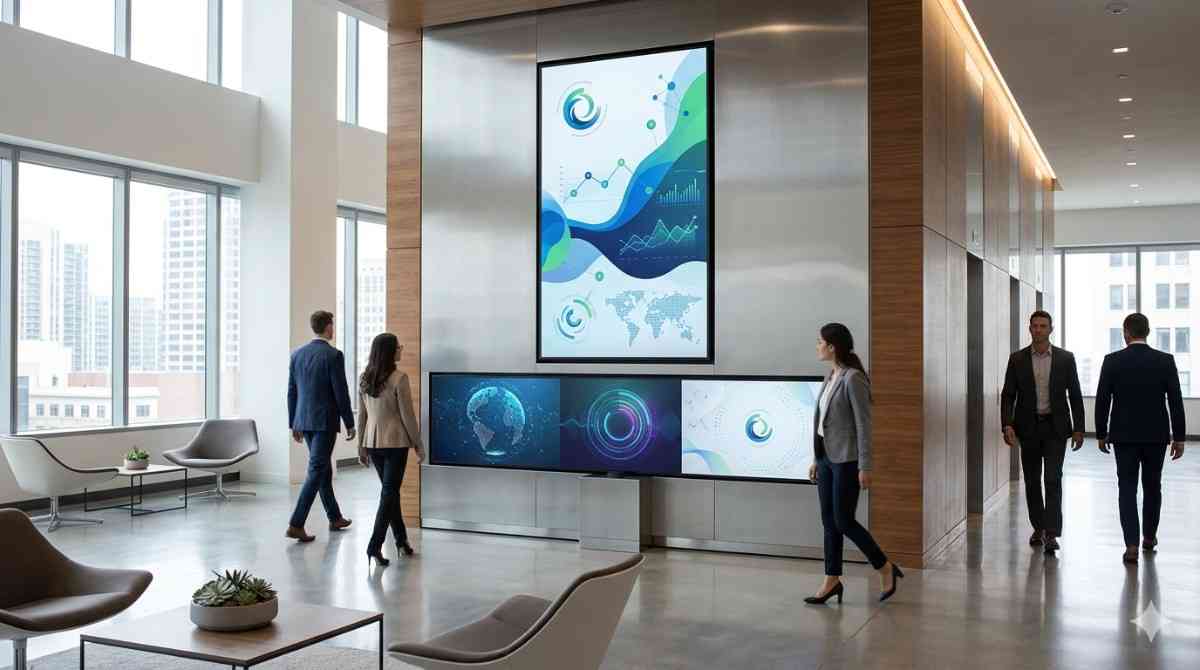
This guide covers everything you need to know to get it right, from the types of displays that work in different corporate settings, to the content strategies that actually engage employees and visitors, to the practical installation considerations that determine whether the whole system performs as it should.
What Is Corporate Digital Signage?
Corporate digital signage refers to the use of networked digital display screens within a business or organisational environment to communicate information, reinforce brand identity, support internal operations, and enhance the physical workplace experience.
It covers a broad range of applications. A welcome display in a corporate lobby. A live KPI dashboard in a sales floor. A meeting room availability screen outside a boardroom. A digital noticeboard in a staff breakout area. An emergency notification system that pushes safety messages to every screen in a building simultaneously.
What ties all of these applications together is the ability to manage content centrally, update it remotely, and deliver different messages to different screens based on audience, location, and time, all from a single platform.
That flexibility is what separates corporate digital signage from a television on a wall.
Why Corporate Environments Are Investing in Digital Signage
The shift toward digital signage in corporate environments has accelerated significantly over the past several years, and the reasons are practical rather than aesthetic.
Internal Communication Has a Problem
Email open rates in most organisations are lower than marketing teams would like to admit. Staff who spend their days moving between tasks, meetings, and locations often miss critical announcements buried in an inbox. Printed notices on a staff board are easy to overlook and impossible to update in real time.
Corporate digital signage addresses this directly. Screens positioned in high-traffic areas, corridors, breakout spaces, and lift lobbies deliver information to staff passively, without requiring them to open anything, navigate anywhere, or actively seek out an update.
According to a study by Gallup on workplace communication, employees who feel well-informed by their organisation report significantly higher engagement levels. Digital signage is increasingly cited by HR and internal communications teams as a practical tool for closing the information gap that exists in most mid-to-large organisations.
The Physical Workplace Is a Brand Asset
This is something that gets overlooked in conversations about corporate environments. Your office, your lobby, your meeting rooms, they communicate something about your organisation to every person who walks through the door. Clients, candidates, partners, and your own staff all form impressions based on the physical environment they experience.
A well-designed corporate digital signage network elevates that environment. It signals investment, professionalism, and attention to detail. In my experience, the organisations that take their workplace environment seriously tend to take their client relationships and their people seriously too, and visitors pick up on that alignment.
I've noticed that even relatively modest digital signage installations in reception areas consistently shift the first impression a visitor carries out of a building. It's one of the highest-visibility improvements a corporate environment can make per square metre of floor space.
Types of Corporate Digital Signage and Where They Belong
Lobby and Reception Displays
The lobby is the most common starting point for corporate digital signage and for good reason. It's the highest-visibility location in the building for both external visitors and internal staff.
Reception area displays typically show a combination of brand content, corporate values, welcome messages for specific visitors, news and announcements, and ambient visual content that reinforces the environmental aesthetic. Large format displays, video walls, or portrait-orientation panels are all appropriate depending on the scale and design of the space.
The content in a lobby display needs to serve two audiences simultaneously: visitors who are seeing it for the first time and staff who walk past it daily. Getting that balance right requires deliberate content planning, not just a screensaver on a large screen.
Meeting Room and Boardroom Signage
Meeting room signage sits at the intersection of corporate digital signage and operational efficiency. Screens mounted outside meeting rooms that display real-time room availability, upcoming bookings, and the ability to book a room on the spot eliminate one of the most persistent frustrations in any office environment: the hunt for an available meeting space.
These displays integrate with calendar systems including Microsoft Outlook, Google Workspace, and dedicated room booking platforms to show live availability data. The screens themselves are typically compact, often in the 10 to 15-inch range, designed to sit neatly beside a door without overwhelming the space.
Inside boardrooms and presentation spaces, larger commercial displays or integrated video walls support presentations, video conferencing, and collaborative work. Wireless presentation systems allow participants to share content from their own devices without fumbling with cables.
Wayfinding Displays
For large corporate campuses, multi-floor office buildings, and organisations that host regular external visitors, digital wayfinding signage is a genuine operational tool rather than a luxury.
Interactive touchscreen directories allow visitors to locate individuals, departments, and facilities quickly without requiring reception staff to provide directions for every query. Dynamic floor maps can be updated centrally when teams move, departments reorganise, or facilities change, without reprinting anything.
Static directories are outdated the moment an organisation goes through any structural change. Digital wayfinding systems stay current automatically.
Staff Communication Screens
Breakout areas, staff kitchens, corridors, and lift lobbies are all legitimate locations for internal communication screens. The audience in these locations is exclusively internal, which means the content can be more focused on employee engagement, operational updates, safety information, recognition programmes, and company culture.
These screens work best when they're treated as a genuine communication channel rather than an afterthought. Content that is relevant, timely, and varied keeps employees engaged with the screens over time. Content that is ignored for months quickly becomes invisible background noise.
Digital Safety and Compliance Signage
For organisations operating across regulated industries, manufacturing environments, healthcare facilities, or large multi-site operations, the ability to push safety communications instantly to every screen in a network is a capability with real operational importance.
Emergency notifications, evacuation instructions, safety alerts, and compliance reminders can all be delivered through a corporate digital signage network. Modern CMS platforms allow emergency content to override all other scheduled content immediately, ensuring critical messages reach every screen without delay.
Building a Corporate Digital Signage Network: What to Think About
Define Your Objectives Before Choosing Hardware
This sounds obvious. It gets skipped constantly. The range of hardware options for corporate digital signage is wide, and the right choice depends entirely on what you are trying to achieve, in which locations, for which audiences.
A corporate campus with fifty screens across multiple buildings has different requirements from a professional services firm with three screens in a single-floor city office. Start with a clear picture of your objectives, your locations, and your audience before any hardware conversation begins.
Choosing the Right Displays for Each Location
Different locations within a corporate environment have different display requirements.
Lobby areas with high ambient light and wide viewing angles need brighter panels with wide horizontal viewing angles. Meeting room displays need to integrate cleanly with room booking systems. Breakout area screens can often use standard commercial brightness panels in a more relaxed specification. Executive boardrooms may justify premium display quality for the impression they make on high-value visitors.
The team at Digital Harbor consistently finds that organisations which approach their corporate signage network with a location-by-location brief get significantly better outcomes than those who specify a single standard across the entire deployment.
Content Management: The Engine Behind the Screens
The displays are the visible part of a corporate digital signage system. The content management system is the engine that determines how well it actually performs.
A well-chosen CMS allows your communications, marketing, or operations team to manage content across every screen in the network from a single dashboard. Key capabilities to look for include:
- Multi-zone layouts that allow different content types to appear simultaneously on a single screen
- Role-based access so different team members can manage content for their specific screens or locations without affecting the wider network
- Template libraries that allow non-designers to create on-brand content quickly
- Scheduling tools that automate content rotation by time of day, day of week, or specific date ranges
- Integration capabilities with existing corporate systems including Microsoft 365, Google Workspace, HR platforms, and live data feeds
- Emergency override functionality that pushes priority content to all screens instantly
Network Infrastructure and IT Considerations
Corporate digital signage operates on your network. That means IT needs to be involved in the planning process from the beginning, not brought in at the installation stage.
Key considerations for IT teams include network bandwidth requirements for content delivery, screen management software security and data handling, integration points with existing corporate systems, and whether screens will be managed on the corporate LAN or through a cloud-based platform with appropriate security protocols.
In my experience, the corporate digital signage deployments that encounter the most friction are the ones where IT was not consulted until after hardware had already been specified. Bringing IT into the conversation early eliminates the majority of integration and security concerns before they become problems.
Content Strategy for Corporate Digital Signage
Hardware and software without a content strategy produces expensive screensavers. The investment in corporate digital signage only delivers its potential when the content running on it is planned, relevant, and consistently maintained.
What works well on corporate digital signage:
- Real-time operational data displayed as live dashboards, sales figures, project milestones, or service metrics
- Internal news and announcements formatted for quick reading at a glance
- Employee recognition content that celebrates achievements, work anniversaries, and team wins
- Brand and values content that reinforces organisational culture for both staff and visitors
- Visitor welcome messages personalised with guest names and meeting details
- Safety and compliance reminders scheduled at appropriate intervals
- Industry news or relevant external content that positions the organisation professionally
What undermines corporate digital signage:
- Content that is out of date, particularly dates, events, or promotions that have already passed
- Overly text-heavy slides that cannot be absorbed in a few seconds of casual viewing
- Inconsistent branding that conflicts with the organisation's visual identity standards
- Content that clearly has not been updated in weeks or months, which signals neglect rather than professionalism
- Random or irrelevant content that has no clear connection to the audience or environment
Digital Harbor works with corporate clients to develop content frameworks alongside the hardware and software specification, because the content strategy is as important to the success of the deployment as the technical infrastructure.
Installation Planning for Corporate Digital Signage
The physical installation of corporate digital signage in an existing office environment requires careful planning to avoid disruption and deliver a clean, professional result.
Structural assessment: Commercial displays are heavy, particularly large format panels and video wall configurations. Wall mounting needs to be assessed for the wall type and load capacity. In leased commercial spaces, landlord approvals may be required for any penetrations or structural fixings.
Cable management: Power and data cables need to be concealed within wall cavities or managed within surface-mounted conduit for a professional finish. Surface-mounted cables are an immediate giveaway of an installation that was not properly planned.
Power supply: Confirm available power circuits at each installation location. Large format displays and video walls may require dedicated circuits to avoid tripping shared office circuits.
Lighting interaction: Consider how existing office lighting interacts with the screen position. Overhead lights positioned directly above a screen can create reflections that reduce visibility. Screen position and tilt can often mitigate this, but it needs to be assessed during planning rather than discovered after installation.
Access for maintenance: Ensure that mounting configurations allow access to ports, cable connections, and internal components for future servicing without requiring complete dismounting of the display.
Maintaining Corporate Digital Signage Systems
A corporate digital signage network is a managed asset, not a set-and-forget installation. Consistent maintenance keeps the system performing well and extends the operational life of the hardware.
Monthly: Visual inspection of all screens for dead pixels, brightness inconsistencies, or physical damage. Confirmation that all scheduled content is displaying correctly across the network. Cleaning of screen surfaces with appropriate materials.
Quarterly: Firmware updates for displays and media players. Review of content scheduling to retire outdated material and introduce fresh content. Check of all cable connections and mounts for any signs of wear or loosening.
Annually: Professional inspection of all hardware including internal components, power supplies, and cooling systems. Full content audit across the network. Assessment of whether the system configuration still meets the organisation's current operational needs, particularly if the business has grown, restructured, or relocated.
Corporate digital signage done well is one of the most impactful investments a business can make in its workplace environment. It improves communication, reinforces culture, impresses visitors, and supports operational efficiency across every department that benefits from timely, visible information.
The businesses that get the most out of it are the ones that approach it as a managed communication system rather than a hardware purchase. Plan the content strategy alongside the technical specification, involve IT from the beginning, and treat content maintenance as an ongoing operational commitment. That combination is what makes corporate digital signage genuinely transformative rather than just decorative.