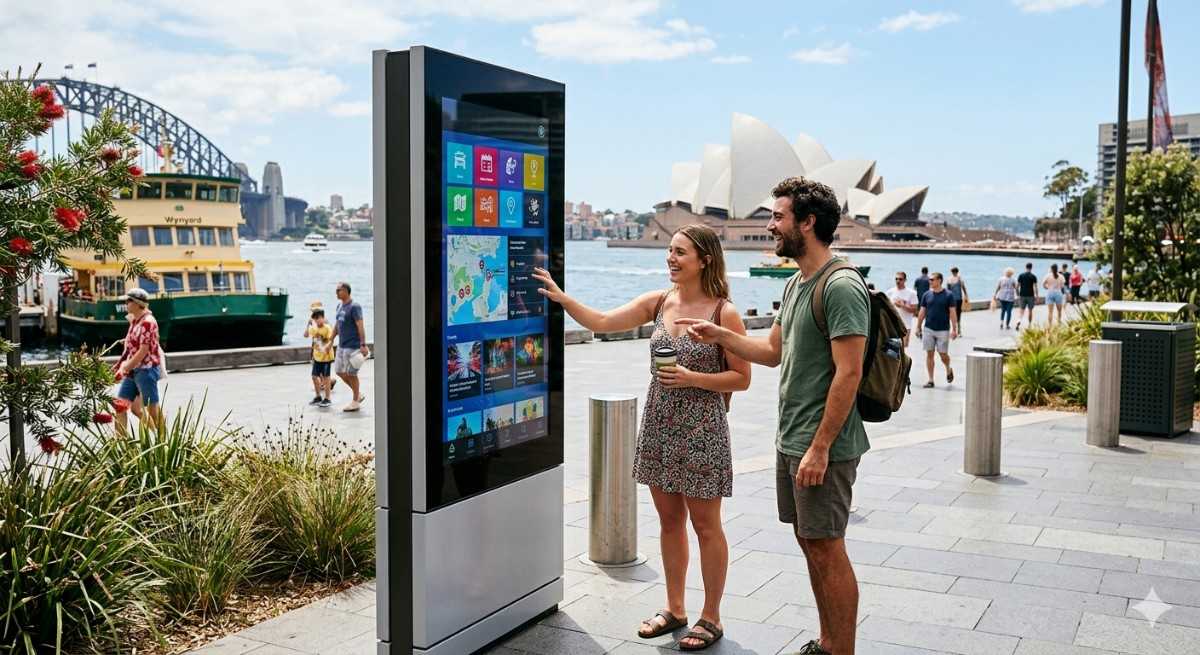
Most screens show information. Few actually engage. That’s the difference an interactive digital display brings. Instead of people just looking, they start tapping, exploring, and making decisions right there.
If you’ve ever seen someone stop at a touchscreen in a store or mall and spend a few minutes exploring, you’ve already seen this in action. I’ve noticed that even curious passersby become engaged users when interaction is involved.
What Is an Interactive Digital Display?
An interactive digital display is a screen that allows users to engage directly through touch or input. It goes beyond passive viewing and creates a two-way experience.
You’re not just showing content. You’re letting users control what they see.
In my experience, this small shift changes how people connect with your brand. Interaction creates memory.
Why Interactive Digital Displays Work Better
People prefer experiences over information. When they can interact, they stay longer and understand more.
Key advantages:
- Higher engagement compared to static screens
- Personalized user journeys
- Longer attention span from viewers
- Improved information retention
- Better conversion potential
A report by Deloitte suggests that interactive experiences significantly increase engagement rates compared to traditional displays.
Where Interactive Digital Displays Make the Biggest Impact
Retail Stores
Customers browse products, check details, and explore options on their own.
Shopping Malls
Wayfinding kiosks help visitors navigate easily.
Corporate Offices
Interactive directories and meeting room systems improve efficiency.
Healthcare Facilities
Patients access information and navigate spaces without confusion.
Events and Exhibitions
Interactive displays attract attention and encourage participation.
When I tried observing behavior at an exhibition booth, the interactive display consistently had more people gathered around it than static banners.
Types of Interactive Digital Displays
Choosing the right type depends on your use case.
Touchscreen Displays
The most common format. Users tap, swipe, and explore content.
Interactive Kiosks
Standalone units used for navigation, ordering, or information.
Gesture-Based Displays
Allow interaction without physical touch.
QR-Integrated Displays
Users interact through their smartphones.
Interactive Video Walls
Large displays that respond to user input for immersive experiences.
I’ve noticed that simplicity often wins. A well-designed touchscreen can outperform complex systems if it is easy to use.
How Interactive Displays Influence Customer Behavior
This is where the real value comes in.
People remember what they do more than what they see.
- Interaction creates emotional connection
- Exploration builds understanding
- Control increases engagement
In my experience, customers are more likely to trust and choose a product after interacting with it digitally.
Intel has reported that interactive digital signage significantly increases dwell time, which directly impacts conversions.
Designing an Effective Interactive Experience
Technology alone is not enough. The experience must feel natural.
Best practices:
- Keep navigation simple
- Guide users with clear visual cues
- Minimize steps to complete actions
- Focus on user intent
- Test real-world usage
Think of it like an app. If it is confusing, people will leave.
Common Mistakes to Avoid
I’ve seen businesses make these mistakes often:
- Overcomplicated interfaces
- Slow or unresponsive screens
- Lack of clear instructions
- Poor placement in low-traffic areas
- Ignoring user behavior
A bad interactive experience can be worse than no interaction at all.
How Digital Harbor Helps You Get It Right
Implementing an interactive digital display is not just about adding touch functionality. It is about creating meaningful engagement.
Digital Harbor focuses on understanding how users interact with displays and what drives their decisions. That approach leads to better results.
In my experience, the best interactive solutions feel effortless. Digital Harbor works to make that happen.
How to Choose the Right Interactive Display Solution
If you are planning to adopt interactive displays, here is a practical approach:
Step-by-step:
- Define your objective clearly
- Understand your audience behavior
- Choose the right hardware
- Design intuitive user interfaces
- Continuously optimize based on usage
When I worked on a small kiosk project, simplifying the interface improved engagement more than adding extra features.
Future Trends in Interactive Digital Displays
The technology is evolving quickly.
- AI-powered personalization
- Voice interaction
- Augmented reality integration
- Mobile connectivity
I’ve noticed that users now expect interaction as part of their experience. Static screens feel outdated.
Final Thoughts
An interactive digital display turns passive viewers into active participants. That shift can transform how people experience your brand.
If you want deeper engagement, better communication, and stronger customer connections, interactive displays are a smart investment. With the right approach and support from Digital Harbor, you can create experiences people remember.