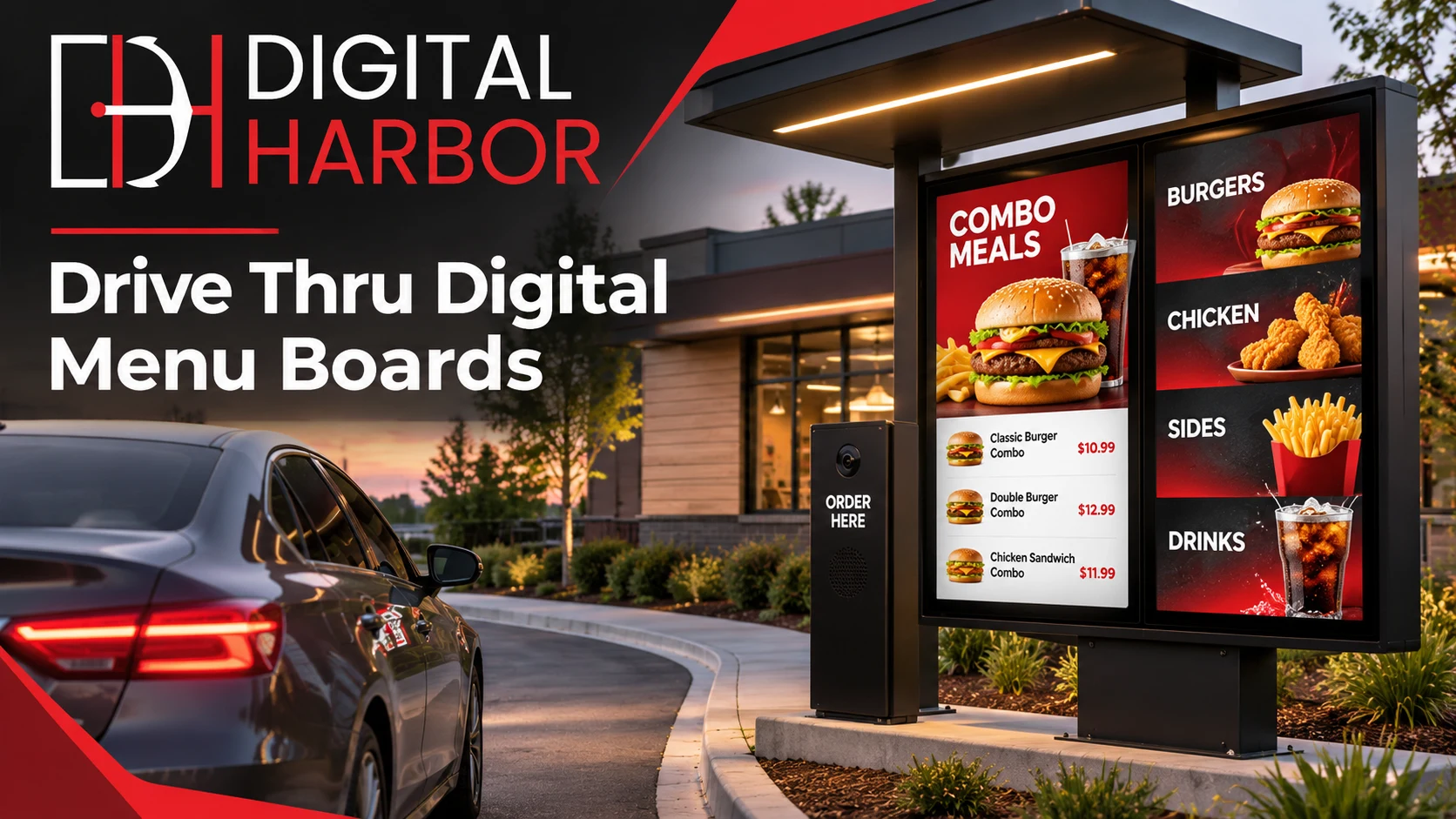
Digital Harbor is a Sydney-based digital signage company. It supplies outdoor LED screens, digital menu displays, installation and a cloud content-management platform for Australian businesses. More than 100 brands across hospitality, retail and other industries trust Digital Harbor with their signage.
This page covers what makes a drive-thru menu work outdoors, which Digital Harbor products suit a drive-thru lane, how to plan the layout and content, and how installation and ongoing updates are handled.
Why Drive-Thru Menus Are Moving to Digital
Printed drive-thru menus have three built-in problems. Every price change or new item means printing and fitting new panels. Sun fades the panels, and they’re hard to read at night. And the same static board shows breakfast items at dinner time unless someone swaps it by hand.
A digital drive thru menu board fixes each of these:
- Instant updates. Prices, items and promotions can be changed from a cloud platform without reprinting anything.
- Scheduled menus. Breakfast, lunch and late-night menus can switch automatically at set times.
- Readable day and night. A bright, backlit screen stays legible in direct sun and after dark, where printed panels struggle.
- Movement that draws the eye. Short animations or a rotating feature item pull attention to the products you most want to sell.
- Consistency across sites. Businesses with more than one location can manage menus centrally, so every lane shows the same offer.
For a busy lane, a clear menu also helps keep the line moving. Drivers who can read the board quickly are ready to order when they reach the speaker.
What Makes the Best Drive Thru Menu Boards
The best drive thru menu boards aren’t simply the biggest or brightest screens. They’re the ones designed for the conditions of a drive-thru lane. Four things matter most.
Brightness for Australian sun
A drive-thru board faces direct sunlight for much of the day. Outdoor screens need far more brightness than indoor displays to stay readable at midday. At night, the same screen should not dazzle drivers. When comparing options, ask how the screen’s brightness is managed across the day.
Weather protection
Rain, heat, dust and coastal air all take a toll on electronics. Weatherproof drive-thru menu boards need housings and hardware built for outdoor use. Indoor screens placed outdoors behind glass tend to overheat or fog.
Readability from the car
Drivers read the menu from a seated position, at a set distance and often at an angle. The text size, contrast and amount of information on each screen must suit that viewing position. A board crowded with small text slows everyone down, however good the screen is.
Easy content control
A menu changes constantly. The board should connect to a content-management platform that your team can use without technical help, ideally with scheduling so menus switch on their own.
Digital Harbor Products for Drive-Thru Lanes
Digital Harbor doesn’t sell a single “drive-thru kit”. Instead, it puts together the right combination of outdoor and menu displays for each site. These are the products and pages most relevant to a drive-thru project.
Outdoor LED screens
For the main menu in the lane, the screen has to be built for the outdoors. Digital Harbor’s weatherproof drive-thru menu boards use its outdoor LED screens, which are designed to stay visible in daylight and to cope with outdoor conditions. They’re the core of a drive-thru menu that runs every day of the year.
Custom Size LED Display
Drive-thru structures vary widely, from tall pylons to wide canopy panels. The Custom Size LED Display can be built to fit the space you have. That suits sites where a standard screen won’t match the existing frame or the menu layout you want.
1920 × 640 mm and 960 × 640 mm LED Displays
For fixed-size placements, such as a feature strip above the order point or a promotional panel along the lane, Digital Harbor offers the 1920 × 640 mm LED Display and the 960 × 640 mm LED Display. The team can advise whether these formats suit your lane or whether a custom size is a better fit.
Digital Menu Display
Planning drive thru digital menu boards usually starts alongside the menu inside the shop. Digital Harbor’s Digital Menu Display is built for counter and in-store menus. Many businesses run the same content across the counter menu and the drive-thru lane, so both stay in step when prices or items change.
Portable Outdoor Display
For temporary promotions, a busy period or a site without a fixed structure, the Portable Outdoor Display is a movable outdoor screen. It can work as an extra promotional board in the lane or near the entry.
Planning Your Drive-Thru Menu Board Layout
A drive-thru lane has distinct points where customers make decisions. Planning signage around those points works better than putting one large board at the speaker and hoping for the best.
The pre-sell board
A pre-sell board sits earlier in the lane, before the main menu. It gives drivers time to look at a few featured items or promotions while they wait. That often means they arrive at the speaker already knowing what they want.
The main menu board
The main board sits at the order point. It carries the full menu, grouped clearly by category with prices. Many sites split it across two or more screens: one for core items, one for meals or combos, and one for drinks and extras.
Entry and canopy signage
Signage at the lane entry or on the canopy tells people driving past what you offer and that the drive-thru is open. This is a natural place for a bright LED panel showing a hero product or a current deal.
Lane geometry
Distance, angle and height all depend on the lane. The screens should sit at a comfortable height for drivers in typical cars, angled toward the vehicle, and close enough that the text can be read from the driver’s seat. Digital Harbor confirms these details during the site assessment.
Designing Content for a Digital Drive Thru Menu Board
The screen is only half the result. Content built for a drive-thru setting does most of the work.
- Keep it short. Drivers have seconds, not minutes. Fewer items per screen, in larger type, beats a long list.
- Group clearly. Put burgers, coffee, breakfast and extras in their own areas, so customers can find a category at a glance.
- Use strong contrast. Light text on a dark background, or the reverse, stays readable in sun and at night.
- Make prices easy to find. Put prices in a consistent spot next to each item.
- Use motion carefully. A subtle animation on one feature item draws attention. Too much movement makes the board hard to read.
- Plan menus by time of day. Set breakfast, lunch, afternoon and late-night menus in advance and let the platform switch them automatically.
Digital Harbor’s cloud content-management platform lets your team upload menus, change prices and schedule content remotely. A price change can go live across the counter menu and the drive-thru lane together. For more ideas on menu content, see Digital Harbor’s restaurant signage and digital menu boards Australia pages.
Installing Drive-Thru Signage
Outdoor installation involves more than mounting a screen. Power, data, mounting structures, weather exposure and safe positioning near vehicles all need planning. Digital Harbor handles installation as part of each project, so the screens arrive set up and ready to run your menu.
For an overview of what the process looks like, read Digital Harbor’s guide to digital menu board installation in Sydney venues.
Council approvals
Illuminated signs visible from a road may need approval from your local council. In New South Wales, planning controls for advertising and signage are set out in Chapter 3 of the State Environmental Planning Policy (Industry and Employment) 2021. Councils may consider size, illumination and road safety. Check what applies to your site early, especially for entry signage or anything facing the street.
How Digital Harbor Delivers a Drive-Thru Menu Project
Digital Harbor manages the project from start to finish, so screens, software and installation come from one team.
- Consultation. Digital Harbor learns how your lane works, what you sell, how often the menu changes and where customers make their decisions.
- Site and display planning. The team recommends the right mix of outdoor LED screens, custom sizes and menu displays for the lane, the order point and the entry.
- Installation. The screens are installed, connected and set up on site.
- Cloud content management. Your team uses the cloud platform to upload menus, update prices and schedule content by time of day.
- Ongoing management. Digital Harbor offers ongoing management, so support continues after the board goes live.
You can see displays Digital Harbor has delivered on the Recent Work page, and an overview of its services on the Solutions page.
Businesses That Use Drive-Thru Menu Boards
Drive-thru lanes are common across Australian hospitality and are growing in other sectors.
Fast food and quick-service restaurants
These are the classic drive-thru businesses. They have large menus, frequent promotions and peak periods where speed matters most.
Coffee drive-thrus
Coffee businesses often have a small, fixed menu plus seasonal specials. A digital drive thru menu board makes it easy to feature limited-time drinks and switch to a morning or afternoon offer.
Bakeries and cafes
Cafes and bakeries with a pick-up window or lane can show fresh items and daily specials, and update them as stock sells out.
Other drive-thru services
Some businesses outside food, such as pharmacies with a pick-up window, also use outdoor screens to show services, opening hours and promotions to customers waiting in their cars.
Inside the Store: Matching Your Counter Menu
The drive-thru board works best when it matches the menu inside. Digital Harbor’s indoor range helps keep the whole business consistent:
- Digital Menu Display for counter menus
- Digital Window Display for promotions facing the street
- Interactive Digital Display for touch-based information
- Video Wall Display for large feature walls inside the restaurant
Because every display runs through the same cloud content-management platform, a price change made once can update both the counter and the lane.
The Full Digital Harbor Range
Digital Harbor’s products cover indoor, outdoor and LED needs:
- Indoor: Digital Window Display, Digital Menu Display, Interactive Digital Display, Video Wall Display
- Outdoor: Portable Outdoor Display
- LED: 1920 × 640 mm LED Display, 960 × 640 mm LED Display, Custom Size LED Display
To see how they work together, visit digital signage solutions, or return to the Digital Harbor home page for an overview of drive-thru signage and other services. Sydney businesses can also read about digital signs in Sydney. Digital Harbor also has pages for Melbourne, Brisbane, Perth and Adelaide.
Why Work With Digital Harbor
- One team for the whole project: consultation, display supply, installation, cloud content management and ongoing management
- Indoor, outdoor and LED displays, so the counter menu and the drive-thru lane can be planned together
- A Sydney-based team working with Australian businesses
- Trusted by 100+ brands across hospitality, retail, pharmacy, fitness, education and more
Learn more on the About Us page, or read practical signage guides on the Digital Harbor blog.
Upgrade Your Drive-Thru Menu With Digital Harbor
Tell the team how your lane is laid out, what you sell and how often your menu changes. Digital Harbor will recommend the right outdoor screens and menu displays for your site.
Call: +61 434 264 234
Email: solutions@digitalharbor.com.au