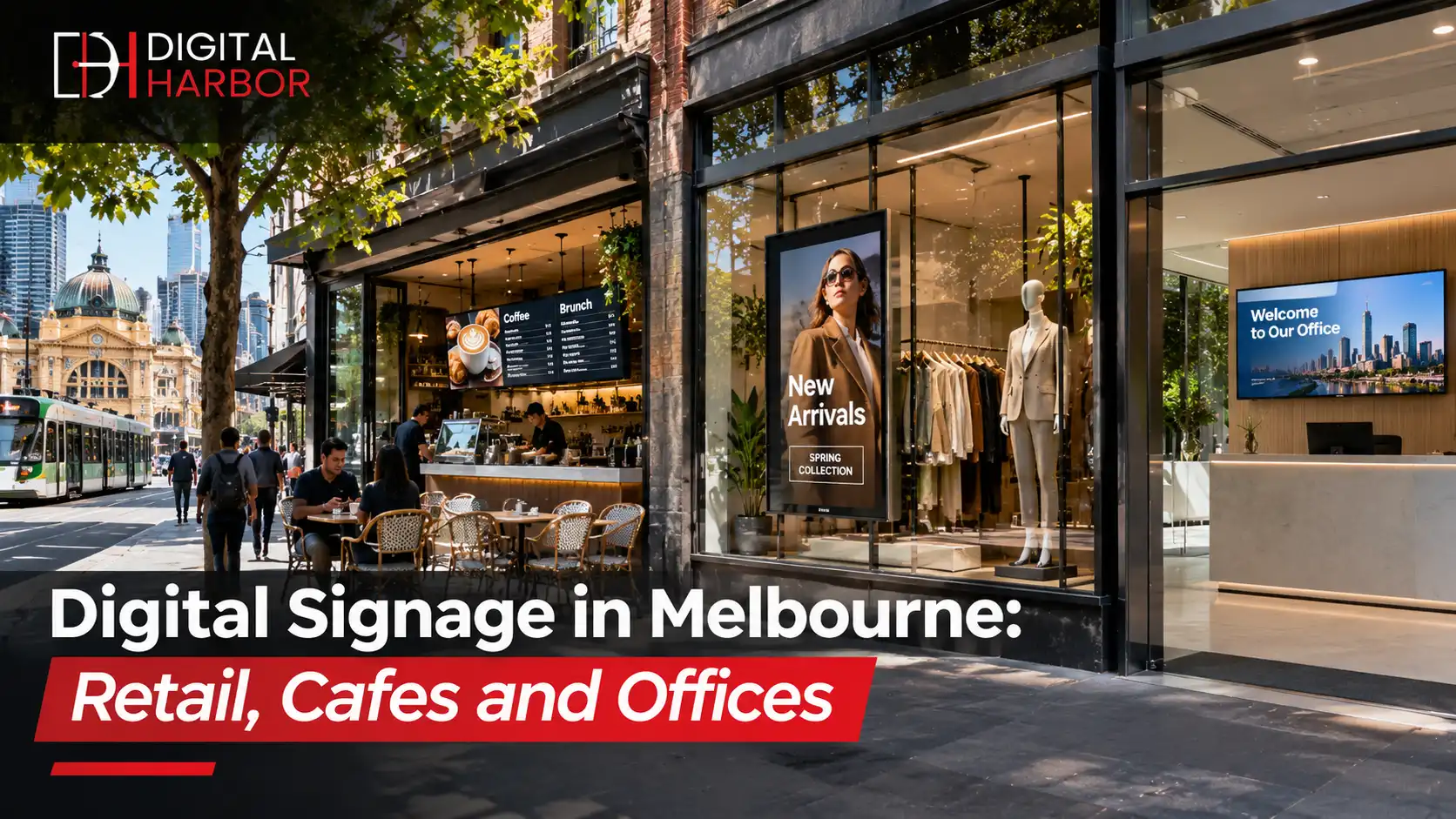
Melbourne businesses use digital signage to stand out in laneways, shopping strips and office towers. This Digital Harbor guide shows what works for retail, cafes and offices, plus approvals, budget and content tips.
Melbourne rewards businesses that look good at street level. Laneway cafes, Chapel Street boutiques, Collins Street offices and suburban shopping strips all fight for attention, and the weather rarely helps. A screen that changes with the time of day, the season and the stock on the shelf gives a shopfront more ways to work than a printed poster ever could.
This guide explains how digital signage in Melbourne works for three common types of business: retail, cafes and offices. It covers the display types worth considering, how to match content to each setting, what approvals to check and how to plan a budget. If you want to see the range first, visit our commercial digital signs in Melbourne page.
Why Digital Signage Suits Melbourne Businesses
Three local patterns make screens useful here. First, foot traffic is spread across many small strips and laneways, so each frontage has to catch attention quickly. Second, changeable weather and four-season trading mean offers, menus and promotions shift often. Third, office towers and co-working spaces need to welcome visitors and share information in a polished way.
Digital signage handles all three. Content can be scheduled by hour, changed from a laptop and refreshed without reprinting. Compared with static signs, the running effort is lower and the message is always current.
Digital Signage for Melbourne Retail
Retail is where screens often pay back fastest, because they sit next to the point of sale and the products themselves.
Window displays
A bright screen behind glass turns the window into a moving poster. Melbourne shopfronts need screens with enough brightness for daylight and, ideally, anti-glare treatment for reflections from the street. Our window display range is made for this.
In-store feature screens
Place screens near entrances, fitting rooms and checkouts. Show new arrivals, sale items and styling ideas, and add a QR code so customers can scan to see more.
Interactive options
Touch screens let shoppers browse a catalogue or check stock without waiting for staff. They suit showrooms and larger stores, and our interactive display range covers those uses.
Digital Signage for Cafes and Hospitality
Melbourne's cafe culture is competitive, and customers often choose in seconds. A clean, readable menu board speeds up service and highlights the items you most want to sell.
- Use a digital menu board above the counter with clear categories, short item names and aligned prices.
- Schedule breakfast, lunch and afternoon menus so customers only see what they can order.
- Add a bright window screen for specials, so people on the footpath see today's offer.
- Remove sold-out items immediately, so customers are not disappointed at the counter.
Cafes and food venues can browse our digital menu display options. Short item names, aligned prices and a clear colour contrast matter more than screen size, and they keep queues moving during the morning rush. Ask for a layout proof before installation so staff can approve the wording and the order of items.
Digital Signage for Offices and Corporate Spaces
In an office, signage is less about selling and more about information and impression. A well-placed screen in reception tells visitors who you are in the first few seconds.
- Reception: a welcome screen with brand video, visitor information and wifi details.
- Meeting rooms: a screen outside each room showing the booking schedule.
- Common areas: internal news, safety notices, events and recognition.
- Lifts and lobbies: building directories and wayfinding.
For a bigger statement in a lobby, a video wall can anchor the space.
Choosing the Right Display for the Space
Choose by location and job, not by screen size alone.
- Indoor commercial screens suit counters, reception areas and shop floors.
- High-brightness window screens suit shopfronts facing the street.
- Outdoor LED suits forecourts, signs facing roads and open frontages. See our outdoor LED screens.
- Video walls suit lobbies, showrooms and large feature walls.
Commercial displays are built for long hours, brighter output and business warranties. A consumer TV may look cheaper, but heat and a rejected warranty claim usually cost more than the saving.
Sample Screen Plans for Three Common Businesses
Seeing a concrete plan makes the options easier to compare. These examples show how a small business might start, then grow, without overspending on day one.
A laneway cafe with one counter
Start with a single digital menu board above the counter, split into drinks, food and specials. Schedule a breakfast menu until late morning and a lunch menu after that. Once the menu board is working, add a small window screen that shows the day's special and a loyalty message. Many cafes find this two-screen setup covers almost everything they need.
A fashion boutique on a shopping strip
Put a high-brightness screen in the window to show new arrivals and sales, and place one feature screen near the entrance for styling ideas and social media content. Add a QR code on each screen that links to the online store. Change the window content weekly, so regular passers-by see something new.
A professional services office on a higher floor
Use one welcome screen in reception for brand video and visitor information, and a small screen outside each meeting room for bookings. Add a common-area screen for news and safety notices. The aim is a calm, tidy impression, so keep motion gentle and text short.
Matching Screens to Melbourne Light and Weather
Melbourne can deliver four seasons in a day, and that affects signage in practical ways. Afternoon sun on a north- or west-facing window can wash out a standard screen, while overcast days make the same screen look fine. Choose a window display with enough brightness for the brightest part of the day, and use automatic brightness control so it does not glare at night. For screens under awnings or near entrances, check whether rain can reach the screen, because an indoor panel is not weatherproof even under cover. If wind-driven rain is a risk, choose a sealed, outdoor-rated unit.
Questions to Ask a Digital Signage Supplier
A few direct questions separate suppliers who will look after you from those who simply ship a box.
- Is the equipment commercial grade, and is it covered by a warranty for business use?
- Which software is included, and are there monthly licence fees for each screen?
- Who installs the screens, and are they licensed for electrical work?
- What happens if a screen fails, and how fast is the response?
- Can you show a similar project that has been running for a year or more?
Rules and Approvals in Victoria
Indoor signs rarely need approval. Street-facing and illuminated signs often do. In Victoria, councils set planning rules on sign size, illumination, moving images and placement, and those rules differ between the City of Melbourne and surrounding councils. Heritage overlays, strata rules and landlord requirements can add conditions, particularly in older buildings and laneways.
Check these before you order, since a screen that cannot be switched on is an expensive ornament. Electrical work must be done by a licensed electrician, and wall or ceiling fixing should suit the building structure.
What Affects the Cost
Price depends on a handful of factors, which is why an itemised quote matters.
- Screen size, brightness and weather rating.
- The number of screens and how they are mounted.
- Media players and content software, including licence fees.
- Installation, power and cabling.
- Content design, if you need templates built.
Our buyer's guide to digital signage pricing shows how to compare quotes line by line.
Content That Works in Melbourne
- Keep messages short and give each slide one idea.
- Use large text and strong contrast, so the screen reads from across the street.
- Schedule by time of day, such as coffee deals in the morning and events in the evening.
- Adjust for weather and seasons, such as hot chocolate on a cold day or iced drinks when it warms up.
- Add a clear next step, such as a QR code or a short web address.
Installation, Support and Maintenance
Ask who installs the screen, who fixes faults and how quickly they respond. Plan power and data cabling before installation, and leave access for servicing. A simple maintenance routine, such as cleaning the screen and checking content every few weeks, keeps the system reliable.
Keeping Content Fresh After Launch
Most screens fail slowly, not suddenly. The hardware keeps working, but the content goes stale and people stop looking. Set a simple routine: one person owns the screens, reviews them every two weeks and schedules the next month of offers in advance. Use templates for repeating items such as the daily special, a weekend sale or a staff announcement, so a change takes a few minutes. Look at what customers ask about at the counter, and give those items more space on screen. A small, steady habit does more for results than a large content push at launch.
Common Mistakes to Avoid
- Buying consumer TVs for all-day use and losing the warranty when one fails.
- Choosing screens before choosing locations.
- Ignoring heritage, council and landlord rules until after purchase.
- Letting content go stale, so the screen shows last month's offer.
- Skipping staff training, so only one person knows how to update the screens.
A Simple Checklist
- Write down the job each screen has to do.
- Choose indoor, window or outdoor format for each location.
- Check brightness, hours of use and warranty.
- Confirm approvals with the council and landlord.
- Plan your first month of content.
- Agree on support and response times.
How Digital Harbor Can Help
Digital Harbor supplies, installs and supports digital signage for businesses across Australia, including Melbourne. We start with your site, goals and budget, recommend the right displays for retail, hospitality or office use, and give you an itemised quote with software and support listed.
See our recent work or contact us for a free consultation.