Most business owners who invest in digital signage screens use them for one thing: showing promotions. And while that works, it barely scratches the surface of what these screens are capable of. The businesses getting the most value from their commercial display screens are the ones using them creatively, strategically, and in ways that genuinely serve their customers. They are not just replacing a printed poster with a digital one. They are rethinking the entire in-store experience.
Before We Get Into the List, Let Us Be Honest About Something
Most business owners who invest in digital signage screens use them for one thing: showing promotions. And while that works, it barely scratches the surface of what these screens are capable of.
The businesses getting the most value from their commercial display screens are the ones using them creatively, strategically, and in ways that genuinely serve their customers. They are not just replacing a printed poster with a digital one. They are rethinking the entire in-store experience.
If you have digital signage screens already installed and feel like you are not getting enough out of them, this guide is for you. And if you are still considering making the switch, what follows will show you exactly why so many Australian businesses are moving in this direction.
Here are 12 creative, practical, and proven ways to use digital signage screens in your store.
1. Run Time-Sensitive Promotions That Actually Create Urgency
There is a big difference between a sign that says "sale on now" and a screen showing a countdown timer ticking down to when a deal expires.
Digital signage screens let you display real-time urgency in a way printed material never could. A fashion retailer in Sydney used a countdown clock on their window display during a weekend flash sale. Foot traffic increased noticeably because passersby could see the deal was ending soon and had a reason to act immediately rather than coming back later.
The key is keeping the promotion genuinely time-limited. Customers notice when a countdown resets. Authenticity matters here.
2. Showcase Your Best-Selling Products With Video
A still image of a product on a shelf does a reasonable job. A short looping video of that same product being used, worn, tasted, or demonstrated does something completely different. It tells a story, answers unspoken questions, and builds desire.
You do not need a professional film crew to make this work. A well-lit 15 to 30 second video shot on a modern smartphone, edited simply, and uploaded to your cloud-based signage platform can outperform a polished static image consistently.
A homewares store in Melbourne reported that featuring a product video on their in-store LED screen for business regularly led to customers asking specifically for the product shown, even when it was not prominently displayed on the shelves.
3. Display Live Social Media Feeds and Customer Reviews
Social proof is one of the most powerful sales tools available to any business. When potential customers see real people endorsing your products or sharing their experiences, hesitation drops and confidence rises.
Your digital signage screens can pull live feeds from your Instagram or Google Reviews and display them on screen in real time. Seeing genuine customer photos and positive reviews displayed on a large commercial display screen at the point of sale is far more convincing than anything you could write yourself.
This approach also encourages existing customers to post about your business, knowing their content might appear on your in-store screen.
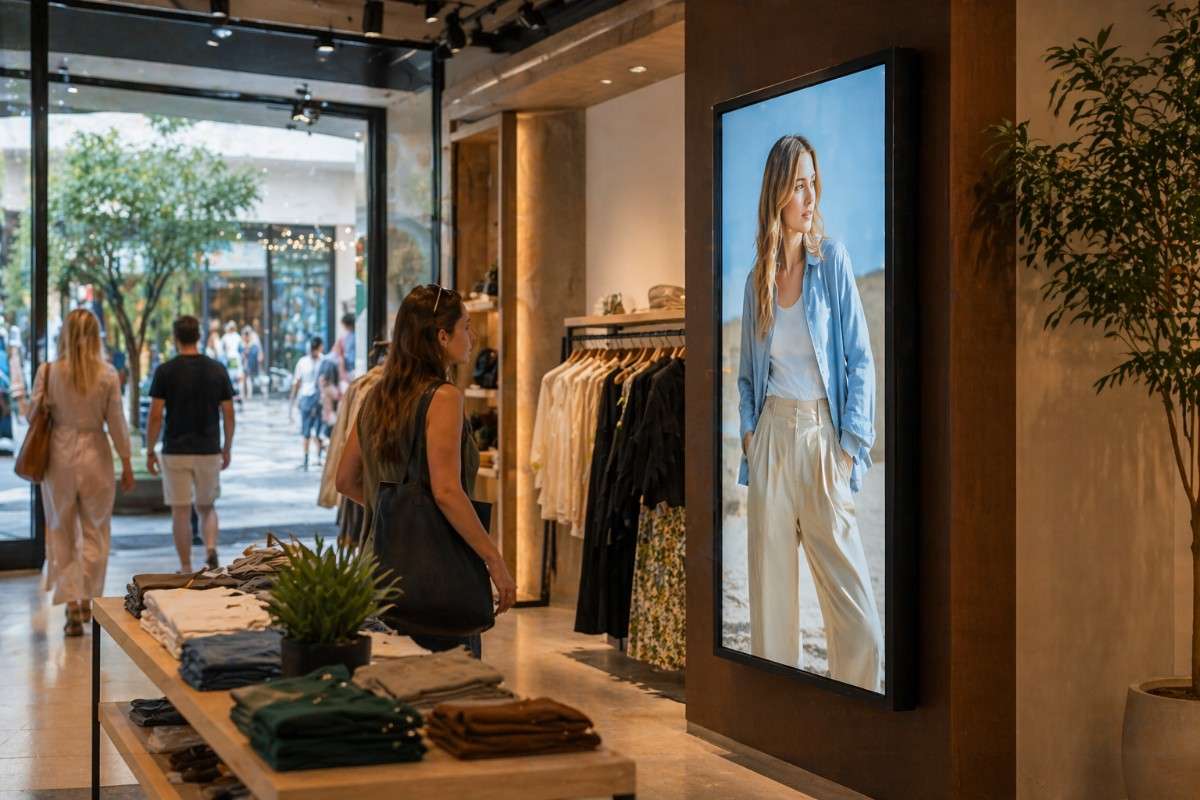
4. Create a Digital Window Display That Stops People on the Street
Your shopfront window is prime real estate. Most businesses waste it with printed posters that fade, peel, and become invisible to regular passersby within a few weeks.
A bright, high-resolution digital window display changes that dynamic entirely. Because the content moves, rotates, and changes regularly, it continues to attract attention from people who walk past your store every day. Digital Harbor's window display solutions are specifically engineered for high ambient light environments, ensuring your content remains vivid and readable even in direct Australian sunlight.
One Sydney clothing boutique switched from window posters to a digital display and described the change as turning their shopfront from a wall into a conversation.
5. Use Screens Near the Checkout to Drive Last-Minute Add-Ons
The moment a customer is standing at your checkout with their wallet out is one of the highest-value moments in the entire customer journey. They have already decided to buy. The question is whether they buy one thing or two.
A well-placed digital signage screen at or near your point of sale showing complementary products, limited add-ons, or a simple "customers also love" message can meaningfully increase your average transaction value. This works across almost every retail category, from food and beverage to beauty, electronics, and homewares.
The screen becomes your silent upsell assistant, working every hour of every day without ever forgetting to make the suggestion.
6. Share Your Brand Story to Build Emotional Connection
People do not just buy products. They buy from businesses they feel connected to. Your digital signage screens give you a dedicated channel to tell your story, share your values, introduce your team, and show what makes your business different.
This is especially powerful for independent and family-owned businesses competing with larger chains. A screen showing behind-the-scenes footage of your team, the origins of your products, or the community work your business supports creates an emotional resonance that no price discount can replicate.
A bakery in Brisbane installed a screen showing footage of their early morning baking process. Customers repeatedly commented on it, and the owner noted a genuine increase in the number of people who asked questions and engaged with staff after watching it.
7. Run a Digital Menu Board With Automatic Time-Based Switching
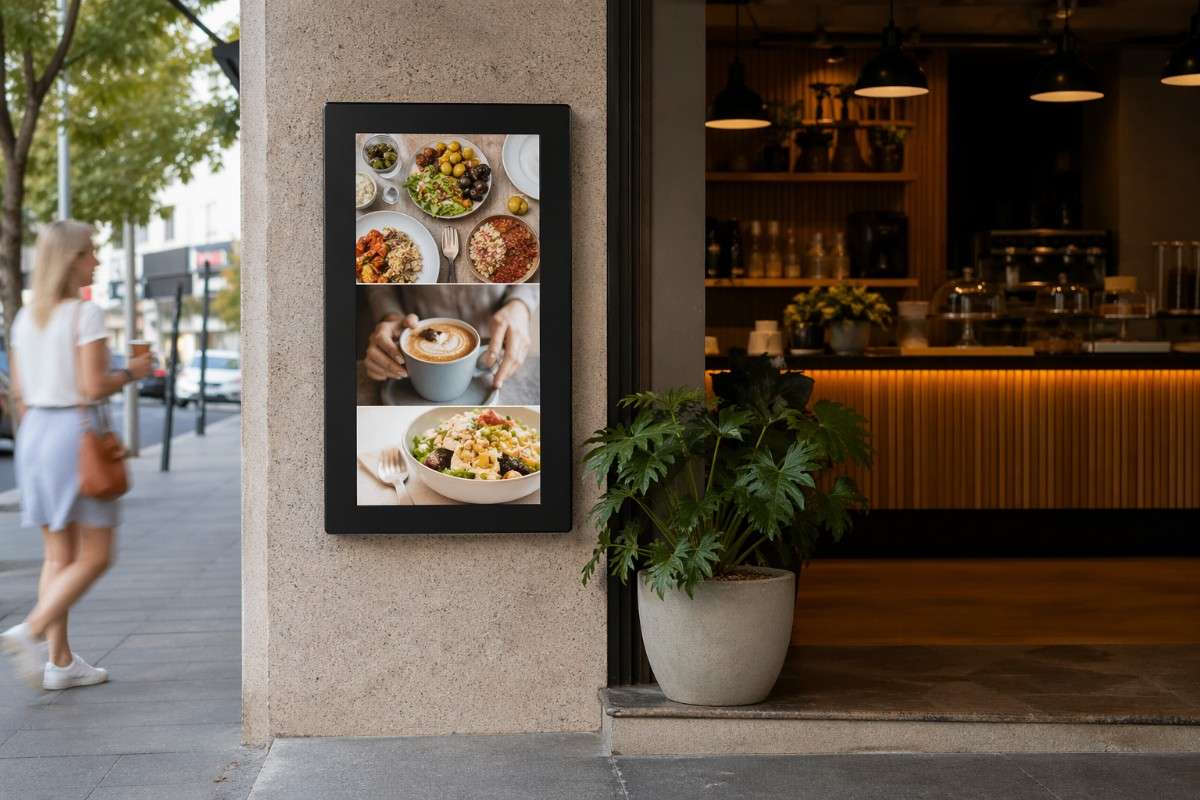
For any food and beverage business, a digital menu display is one of the fastest and most impactful investments you can make. The ability to switch between breakfast, lunch, and dinner menus automatically based on the time of day alone saves hours of manual effort across a year.
Beyond the time saving, digital menu boards allow you to highlight high-margin items, feature specials prominently, remove sold-out items instantly, and update pricing without reprinting anything. A cafe owner in Parramatta told us she spent more on printed menu updates in a single year than she did on her entire digital menu board installation.
The operational benefit is real. The sales impact is real. And the professional impression it creates for new customers walking in for the first time is immediate.
8. Display Queue Management Information to Reduce Customer Frustration
Waiting is one of the most friction-heavy parts of any in-store experience. The frustration customers feel while waiting in a queue or for a service to be completed has a direct impact on how they feel about your brand overall.
Digital signage screens positioned in waiting areas can display estimated wait times, queue numbers, useful information about your products or services, or simply engaging content that makes the time pass more pleasantly. Healthcare clinics, government service centres, automotive workshops, and banks across Australia are already using this approach to measurably improve customer satisfaction scores.
9. Celebrate Customer Milestones and Loyalty Publicly
People love being recognised. If your business runs a loyalty programme or tracks customer milestones, your digital signage screens can be a powerful way to celebrate them publicly.
A simple "Welcome back, valued member" message displayed on a screen when a loyalty customer checks in, or a monthly showcase of your most loyal customers with their permission, creates a sense of community and belonging that keeps people coming back. It costs nothing extra once your screens are installed and running on a cloud-based signage platform. It just requires a small amount of thoughtful programming.
10. Use Screens to Communicate Safety, Hygiene, or Policy Information
This one is less glamorous but genuinely valuable. Every business has information it needs to communicate to customers regarding safety procedures, hygiene standards, entry requirements, or store policies.
Communicating this through a digital signage screen is far more effective than a laminated A4 sheet taped to the door. The information is clearer, more professional, and easier to update when policies change. Medical clinics, childcare centres, gyms, and hospitality venues across Australia use their screens for exactly this purpose, freeing up staff from having to repeat the same information verbally dozens of times a day.
11. Highlight Seasonal Campaigns Without Reprinting Everything
Christmas, Easter, EOFY sales, school holidays, long weekends. The Australian retail calendar is full of seasonal opportunities, and every single one of them traditionally meant a fresh round of design and print costs for business owners relying on static signage.
With digital signage screens connected to a content management system, seasonal campaigns can be prepared in advance, scheduled to go live automatically on the right date, and switched off just as easily when the campaign ends. A retailer managing four stores across Sydney described the transition to digital as eliminating an entire line item from their annual marketing budget.
12. Use Interactive Screens to Let Customers Explore Your Range
Not every product can be on the shop floor at once. An interactive digital signage screen lets customers browse your full catalogue, check specifications, compare options, and even locate specific items within your store.
This is particularly valuable for furniture retailers, electronics stores, trade suppliers, and any business where the full product range is too large to display physically. Customers who can explore at their own pace, without needing to wait for staff assistance, tend to spend longer in-store and leave better informed, which directly reduces returns and increases satisfaction.
Digital Harbor's interactive display solutions are designed for exactly this use case, with intuitive touchscreen interfaces that require no technical knowledge from the customer to operate.
How to Get the Most From Your Digital Signage Screens: Maintenance and Upkeep Tips
Installing the screens is the beginning, not the end. Here is how to keep them performing at their best.
Clean screens regularly using a soft, dry microfibre cloth. Avoid liquid cleaners unless the manufacturer specifically approves them for the screen surface.
Check that ventilation around the screen is unobstructed. Commercial displays generate heat during operation, and blocked airflow shortens screen lifespan significantly.
Review your content playlist at least once a month. Remove outdated promotions, refresh visuals, and ensure everything on screen reflects your current offering accurately.
Restart your screens on a regular schedule if your digital signage software supports scheduled reboots. This keeps the system running smoothly and prevents software-related slowdowns over time.
Log any unusual behaviour such as flickering, colour inconsistencies, or connectivity issues and report them to your provider promptly. Catching minor issues early prevents them from becoming costly repairs later.
Why Australian Businesses Choose Digital Harbor
Digital Harbor is not just a screen supplier. They are a complete digital signage solutions partner for businesses across Sydney and the wider Australian market.
With over 100 successful installations spanning retail, hospitality, healthcare, education, and corporate environments, their team brings genuine experience to every project. They handle the full process from initial consultation and site assessment through to hardware selection, professional installation, staff training, and ongoing support.
Their cloud-based content management platform is one of the most accessible in the market, designed specifically so that business owners with no technical background can update, schedule, and manage their screen content independently and confidently.
Whether you need a single digital menu board for a cafe, a full video wall for a retail flagship, a window display for a boutique, or a network of outdoor LED screens across multiple locations, Digital Harbor has the product range and the expertise to deliver it properly.
Book a free consultation with the Digital Harbor team today and find out which screens are right for your store.
Visit digitalharbor.com.au to explore the complete range of commercial display screens and LED signage solutions.
Get in touch with the Sydney team and take the first step toward transforming your in-store experience.